ProMount by Vancomm · Scoro
E-mail templates & signature kit
These are the e-mail templates and signature set up in Scoro. Copy each block into your own Scoro profile so every quote, order, and invoice you send looks consistent — the dynamic fields fill in your name and the document details automatically.
Open your Scoro e-mail settingsHow to set yours up — 60 seconds each
- Open your Scoro e-mail settings (this is per-person — what you set here is yours).
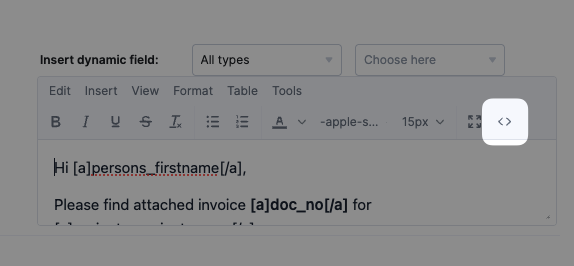
- Find the matching editor on that page. Click into it, open the < > Source code button in the toolbar (for the Signature it's under the ⋯ More menu).
- Delete anything that's there, paste the copied block, click Ok, then hit Save at the bottom of the page.
Want a different look or wording?
OptionalEvery block above is just HTML, so you can hand it to Claude (or any AI) and ask for changes — a different accent color, warmer wording, your own layout — then paste the result back into Scoro the same way.
How
- Copy any template above with its Copy button.
- Paste it into Claude along with an instruction — see the example prompt below.
- Copy what it gives back, then paste it into Scoro through the < > Source code view and Save.
Example prompt — copy, then paste your template under it
This is an HTML email template we use in Scoro. Please change the gold accent color (#c8a84b) to a deep navy, and make the wording a little warmer and more personal.

Important: keep every placeholder token exactly as-is. Anything wrapped like #name#, #email#, or [a]doc_no[/a] must stay unchanged — don't rename, translate, or remove them. Return only the finished HTML, nothing else.

[paste the copied template here]
⚠️ One rule: tell the AI to keep the placeholder tokens — like
#name# and [a]doc_no[/a] — exactly as they are. Those are how Scoro drops in the real names, numbers, and dates when you send. If they get renamed or removed, the auto-fill stops working.